Turn Your Website Into Your Fastest Marketing Channel

Webflow lets your team ship campaigns, track results and iterate on ideas without waiting for developers. Discover the freedom to move at marketing speed.

The Problem Space

Many marketing teams find themselves constrained by websites that weren't built with marketing velocity in mind. Technical bottlenecks, slow iteration cycles, and platform limitations often prevent teams from executing campaigns at the speed modern marketing demands.

Ticket Queue list showing tickets #312, #313, and #314 marked pending, and ticket #315 grayed out but also marked pending.

Time and Workflow Bottlenecks

Marketing teams often wait for developers to update pages, slowing campaign execution and momentum

Lack of Control and Disjointed Processes

Fragmented design and approval workflows create branding inconsistencies and slow down campaign coordination.

Diagram showing five server icons connected to a central box labeled 'Your Website' representing integration.

Technical and Integration Challenges

Plugin maintenance and limited APIs create data silos that complicate marketing operations and reporting.

Our Solution

We help marketing teams build websites that function as true marketing assets. Through strategic Webflow implementation, we eliminate technical friction and create systems that let your team focus on what they do best - driving growth and engaging customers.

Launch campaigns and landing pages in hours, not days

Build, approve, and publish landing pages using visual components before your ad spend goes live.
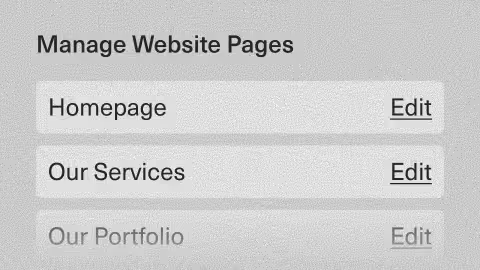
Manage Website Pages panel listing Homepage, Our Services, and grayed-out Our Portfolio pages, each with an Edit link to the right.

One system, multiple possibilities

Manage pages, content, and design in one workspace that keeps your entire marketing team aligned.

Three gray squares each containing a white logo representing HubSpot, Segment, and Looker integration icons on a textured gray background.

Integrated with Marketing Tools

Seamless HubSpot, Segment, and Google Tag Manager connections eliminate developer bottlenecks and integration delays.

Training Library interface with three video thumbnails arranged horizontally, each showing a video camera icon with space for titles and descriptions below.

Training & Support for Your Marketing Team

Your team edits content, images, and layouts independently. Our training library keeps them confident post-launch.

Dropdown menu labeled SEO Settings with blurred content below.

SEO-Ready from day one

Built-in performance optimization and semantic HTML help every page outrank slower WordPress sites immediately.

How we do it

Six proven steps from backup to launch, preserving traffic and rankings while delivering measurable performance improvements.

① Strategic Assessment

Analyze current performance and identify opportunities

② Content Strategy & Migration

Preserve SEO value while optimizing for marketing goals

③ Marketing-Optimized Architecture

Build flexible systems that support campaign velocity

④ Technical Foundation

Implement performance and SEO best practices

⑤ Launch & Optimization

Ensure seamless transition with performance monitoring

⑥ Team Enablement

Equip your team with tools and knowledge for ongoing success

We were up against a tight timeline for a website revamp and needed a refreshed look without starting from scratch. The Underscore team quickly understood our brand, worked efficiently, and delivered a clean, visually polished site that stayed true to our identity. The backend is now much more intuitive to manage, and his input on layout and third-party integrations added real value.

Ariel Loy
,
Squareroot8 Technologies, Creative Corporate Communications Executive

Where to begin

Your marketing goals deserve a website strategy that delivers. Let's create that partnership.

Schedule a Strategic Consultation

Frequently Asked Questions

What is the best way to create a responsive, no-code website?

The best way is to use a professional tool like Webflow and learn the fundamentals of web structure. While Webflow is no-code, it is not "no-skill." It visually teaches you how CSS properties like flexbox and grids work. The most responsive, professional sites are built by users who embrace this, rather than just dragging and dropping elements randomly as you might on a simpler builder.

What questions should I ask to vet a Webflow developer or agency?

Go beyond their portfolio. Ask about their process. Ask "How do you handle SEO for a new build or migration?" Ask "What is your process for CMS and content strategy?" Ask "What are your options for long-term support and maintenance after launch?" A great partner will have confident, clear answers about their strategy, not just their design skills.

How should I budget and scope a new Webflow project?

Your budget is set by your scope. Start by defining your "must-haves." How many unique page designs do you need? Will you need a blog (CMS)? Will you have any complex integrations (like HubSpot) or custom animations? A simple 5-page site using a template will be low-cost. A large, 50-page custom-designed site with a full CMS migration will be a significant investment. Always budget a 15-20% contingency for unexpected needs.

What's the difference between hiring a Webflow freelancer vs. an agency?

A freelancer is best for a specific, well-defined task, like building a 5-page site from a finished design. An agency is your strategic partner for a complex build or long-term growth. Agencies provide an end-to-end team for strategy, design, development, SEO, and ongoing support. For a serious startup or B2B company, an agency provides a more reliable, scalable, and comprehensive solution.

What are the benefits of Webflow for marketers and design teams?

The primary benefit is empowerment. Webflow removes the "developer bottleneck." It gives designers pixel-perfect control to build what they envision, and it gives marketers a powerful CMS to update content and launch pages. This single platform allows both teams to collaborate and publish high-quality work instantly, without writing code or filing support tickets for simple changes.