Sign up for an Aspire business account and enjoy up to S$1,500 off our AEO services

How this works

STEP 01

Sign up with Aspire using our referral link

Sign up with Aspire today


STEP 02

Deposit at least SGD 500 (or equivalent) within 90 days into your account


STEP 03

Enjoy S$500 off our AEO Audit or S$1,000 off our AEO Strategy package


Terms:

  • Discount applies only if PartnerStack shows your signup under our referral (Customers/Commissions).
  • You must be a new Aspire customer.
  • Discount applied after referral is marked successful/qualified (for example Paid/commission created).

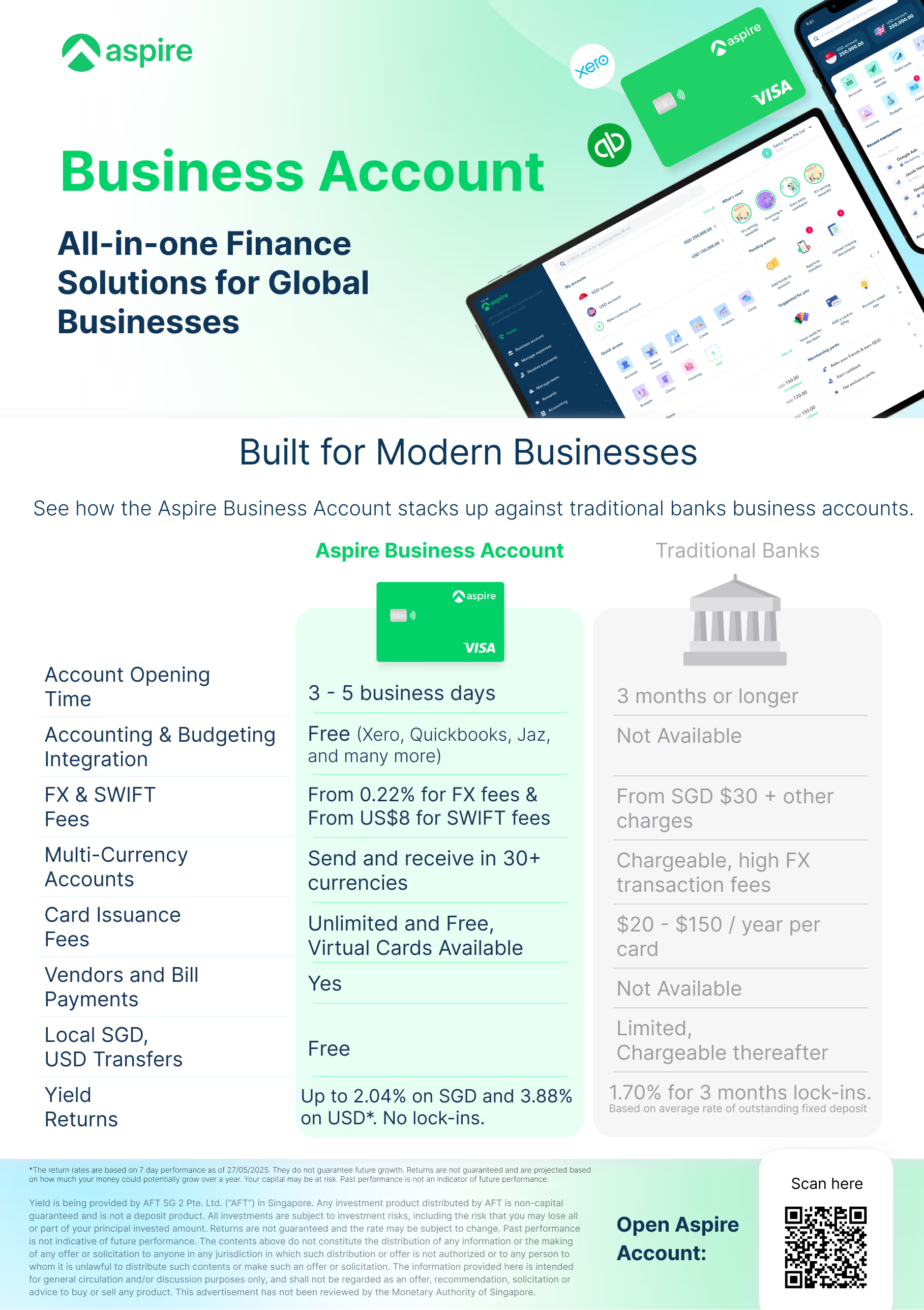
The Aspire Business Account stands out against traditional bank accounts, enabling your business to grow and scale without any hassle.

3-5 Business Days

to open a new account

Competitive FX & Swift Fees

From 0.22% for FX fees & From US$8 for SWIFT fees

Multi-Currency

allowing you to send and receive in 30+ currencies

Free Integration

with accounting and budget platforms (Xero, Quickbooks, Jaz, and many more)

Free Local SGD, USD Transfers

with no hidden fees
Frequently Asked Questions

  • Is there any Aspire signup promo or referral bonus I can use?

    Yes. If you’re a new Aspire customer, sign up using our Aspire referral link. After you deposit at least S$500 (or equivalent) within 90 days, you’ll qualify for S$500 off our AEO Audit or S$1,000 off our AEO Strategy package. Discount applies only when PartnerStack confirms your signup under our referral (Customers/Commissions).

  • Who is eligible for this promo?

    You’re eligible if you are a new Aspire customer, you sign up using our referral link, and your referral is confirmed in PartnerStack (Customers/Commissions).

  • What do I need to do after signing up to qualify?

    You’ll need to deposit at least S$500 (or equivalent) into your Aspire account within 90 days of signup.

  • What exactly do I get, and which services does it apply to?

    You can choose either S$500 off our AEO Audit or S$1,000 off our AEO Strategy package once the referral is qualified.

  • When will the discount be applied, and how is it validated?

    The discount is applied after the referral is marked successful/qualified in PartnerStack (for example Paid or commission created). If PartnerStack does not show your signup under our referral, the promo cannot be applied.

Your site should work for you, not against you — let's fix that

Let’s start with a short call to see if a Strategy Session makes sense for your team.